Fleet-wide rules and data-traffic control: what the Waberer's driver-phone case shows for a large Galaxy fleet's licence decision
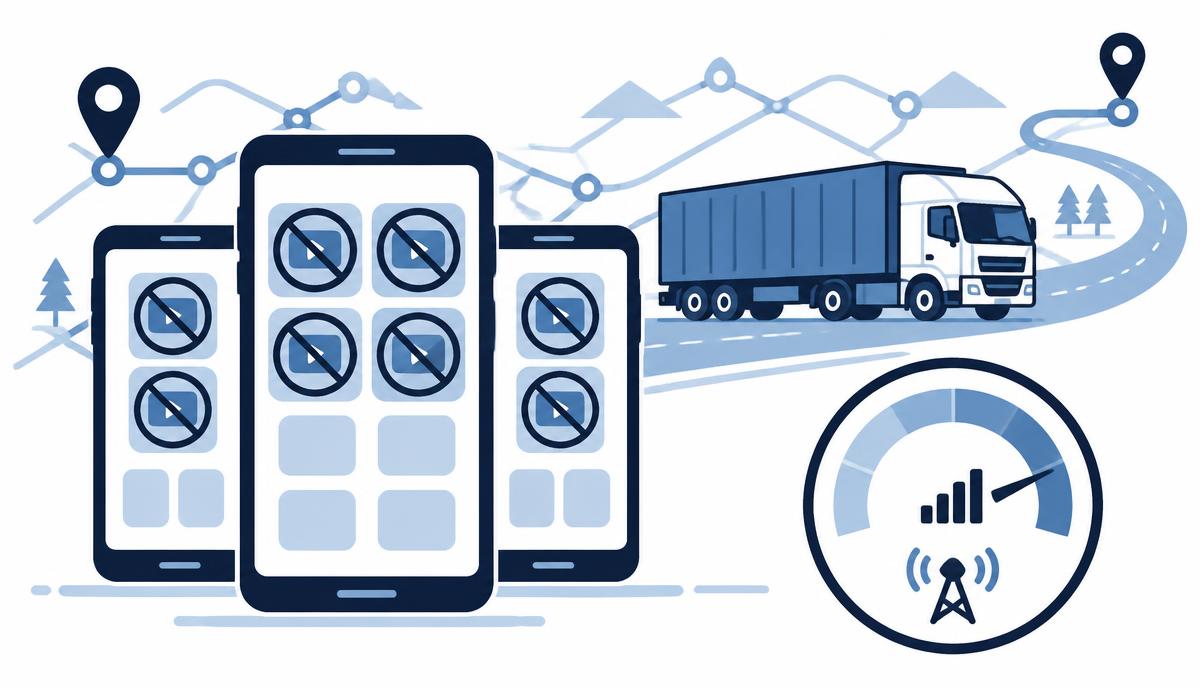
A large haulier's experience shows why a written policy is not enough and which central controls to think through before a licence decision.
A case study published on the sofortelefon.hu blog describes the driver-phone experience of a large Hungarian haulier, Waberer's International Kft. The case is not about a Knox licence – the fleet runs Sofortelefon.hu's remote device management solution – but it illustrates the questions every fleet of several hundred devices faces before choosing a device management licence. In this article we translate those lessons into the language of the Samsung Knox Suite – Enterprise Plan.
The starting point: a device that can be used for anything
According to the source, some of the fleet's driver phones used up to 10 GB of mobile data in a few days – through browsing, TikTok and YouTube. This had two consequences. One was a high bill, especially in international traffic with roaming. The other was more serious: once the data allowance runs out, the driver cannot submit a CMR or receive the next job, communication stops – leading to delays and, ultimately, contractual penalties.
The lesson is general: a smartphone is built to be used for anything. Policies, signatures and training set expectations, but without a technical limit private use eventually appears. The problem is systemic, not individual – so the solution has to be systemic too.
What central rules does a large fleet need?
In the solution deployed on the Waberer's fleet, the driver sees a single screen: the apps needed for work, calls and SMS. YouTube, TikTok, the browser, system settings and every other non-work app are blocked. On top of this come remote installation and updating of work apps – both Google Play and custom client apps – and remote access for troubleshooting.
Three groups of rules emerge for the licence decision:
- App and feature restrictions: what may run on the device and what is unavailable (settings, browser, app store).
- Data-traffic control: the allowance must not be consumed by non-work apps, especially when roaming.
- Central app deployment and remote support: a new version across the whole fleet in a few clicks, remote access when something breaks.
Which Enterprise components provide this capability?
In a situation like this, the foundation in the Knox Suite – Enterprise Plan is Knox Manage. The Kiosk Wizard sets up a single- or multi-app kiosk view, policies can block the settings menu, the browser or app installation, and work apps – including custom apps outside the store – can be deployed and updated centrally.
Event-based policies are particularly useful in international haulage: rules can change automatically based on time, Wi-Fi network, SIM change, roaming or geographic area. For example, a stricter rule can apply when roaming than at home. With Knox Remote Support, the helpdesk sees and controls the Android device live, so the "bring the phone to the depot" step can disappear.
These components are also in the Essentials Plan. Whether a large fleet should still consider Enterprise depends on the following questions.
What Enterprise adds on a large fleet
We are not attributing the following to the customer in the source; we describe them as general capabilities that typically come up with several hundred devices.
Firmware control with Knox E-FOTA
If a client app is tested on a specific Android version, an unexpected major update can stop communication just as surely as an exhausted data allowance. With E-FOTA the approved firmware can be locked, and updates rolled out with an "Up to" ceiling, within time windows and gradually.
Fleet analytics with Knox Asset Intelligence
Battery health, app crashes, network drops and storage are visible across the fleet, so the cause of a communication outage can often be found before anyone reports it.
Enforced enrollment with KME Advanced settings
A large fleet always has replacement and returning devices. If a Galaxy device does not enroll into the EMM within the set time, it locks automatically – management no longer depends on the attention of whoever sets it up.
What did the numbers show?
According to the source, direct savings appeared in mobile data traffic, the penalty risk from communication outages fell, and internal working time was freed up. The case study puts it like this:
„90% of manual configuration tasks related to driver phones were eliminated. Several FTEs were freed up from the process.”
The article states that the system's total three-year implementation and operating cost paid back within a few months. These figures refer to the solution described there; an estimate for your own fleet only makes sense after assessing your specific situation.
What to assess before requesting a licence quote
- How many Galaxy devices are in the fleet, and which models and Android versions?
- Which apps must run, and are any of them custom apps outside the store?
- Do you need a kiosk view, and do rules differ when roaming or on site?
- How critical is the firmware version for your client apps?
- How do new and replacement devices arrive, and who sets them up today?
- Is there an existing UEM or Knox licence to build on?
Once you have answers to these questions, the licence count and the right plan can be determined quickly. Request a licence quote and we will help with the assessment.
Request a licence quote for the Knox Suite Enterprise Plan
Get in touch: our specialists help you choose the right licence and licence count, and support configuration and operation.
Request a licence quote