Skip to content
Official Samsung Knox Reseller

Knox Suite Enterprise licence: updates, health and management for your entire Galaxy fleet with one key

This site helps you select and purchase the Samsung Knox Suite – Enterprise Plan licence: exactly which services it includes, what your Galaxy fleet needs from it, and how to request a quote. Firmware control, fleet analytics, enforced enrollment, central management and remote support – activated with a single licence key.

Enterprise Plan: Knox E-FOTA · Knox Asset Intelligence · Knox Mobile Enrollment (standard and Advanced settings) · Knox Manage · Knox Remote Support · Knox Platform for Enterprise · Knox Capture · Knox Authentication Manager. Knox Configure is licensed separately and is not part of the plan.

Our specialists help with licence selection, configuration and day-to-day operation.

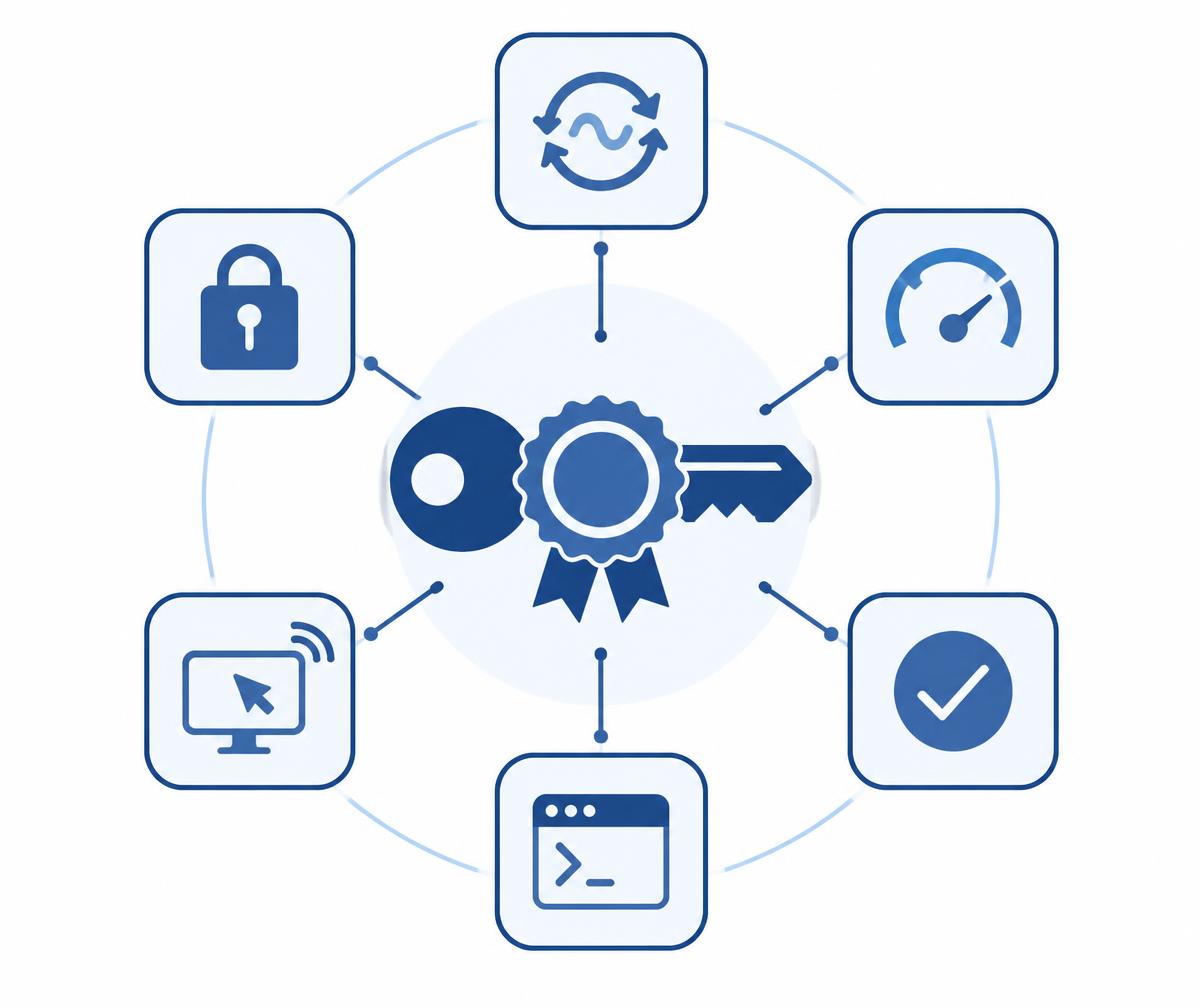
Illustration: a licence key and seal in the centre, surrounded by six module tiles – update, diagnostics, enrollment, console, remote support and padlock – all activated by one licence.

One licence key – nine Knox services

Full list
  • Knox E-FOTAEnterprise only

    Firmware updates on your own schedule

  • Knox Asset IntelligenceEnterprise only

    Battery, apps and network in one dashboard

  • Knox Mobile Enrollment

    Automatic enrollment at first power-on

  • KME Advanced settingsEnterprise only

    Enforced enrollment with device lock

  • Knox Manage

    Cloud device management for mixed fleets

  • Knox Remote Support

    Live screen sharing and remote control

  • Knox Platform for Enterprise

    Galaxy-specific security policies

  • Knox CaptureEnterprise only

    The camera as an enterprise barcode scanner

  • Knox Authentication ManagerEnterprise only

    Biometric sign-in on shared devices

What does the Enterprise licence solve on a Galaxy fleet?

A fleet that updates on your schedule

Lock the approved firmware version per model, verify updates with a test campaign, then roll out gradually within time windows. Knox E-FOTA is only available in the Enterprise Plan.

Details: A fleet that updates on your schedule

See the problem before it is reported

Battery health, app crashes, Wi-Fi drops, network latency and storage in one dashboard. The Security center shows vulnerable devices based on their security patch level.

Details: See the problem before it is reported

Management and remote support included

Knox Manage and Knox Remote Support are part of the Enterprise Plan: settings, app deployment, event-based rules, kiosk mode and live screen sharing on Android devices. No separate MDM or remote-support tool to buy.

Details: Management and remote support included

Works alongside your existing Intune or SOTI

If you already run another UEM, the Galaxy-specific parts of the Enterprise Plan – firmware control, enrollment, Knox policies – work alongside it, without replacing your system.

Details: Works alongside your existing Intune or SOTI

Frontline add-ons for shared devices

Knox Capture turns the Galaxy phone camera into a barcode scanner, and Knox Authentication Manager provides biometric sign-in on devices used by several people.

Details: Frontline add-ons for shared devices

References

  • Waberer's logo
  • Tchibo logo
  • Vodafone logo
  • BHS Trans logo
  • ACE logo
  • Prevost Hungária logo
  • One logo
  • Supernova logo
  • J.S. Logistics logo

Knox E-FOTA

OS version control with Knox E-FOTA

The Enterprise Plan includes Knox E-FOTA, so your Galaxy fleet updates on your company's schedule rather than at the moment a release appears.

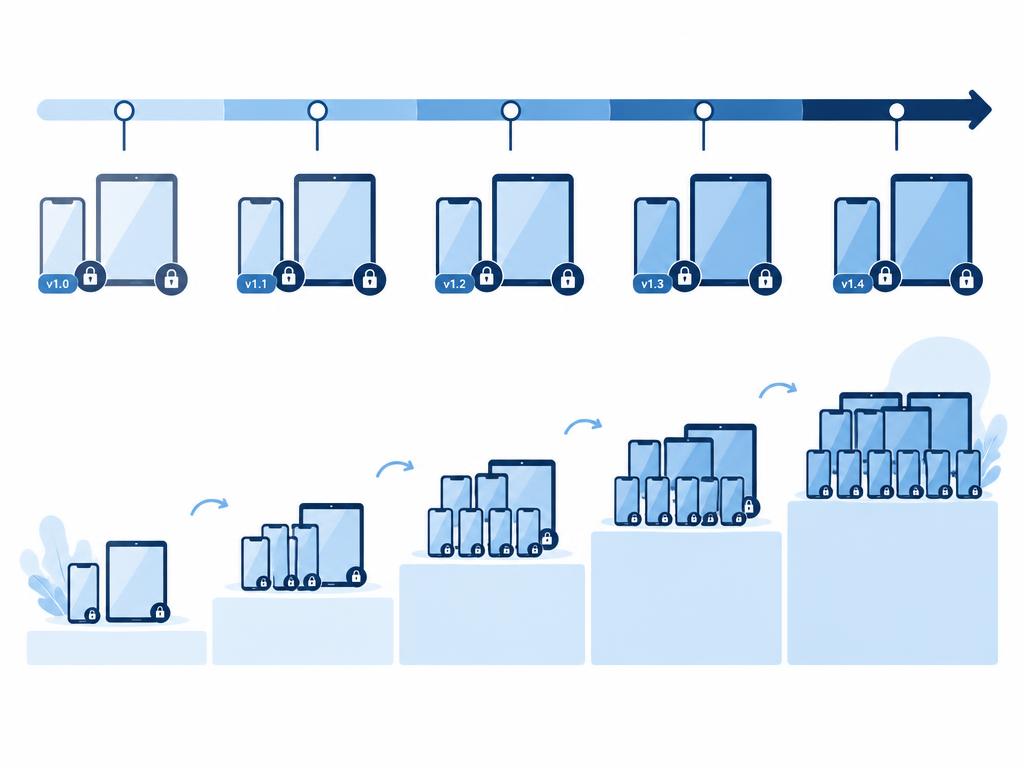
Per model and carrier code you can decide whether devices stay on their current firmware ("Lock current firmware"), move to a version selected from a list, or receive the latest – optionally capped at a specific Android version or security patch level ("Up to").

Each campaign can have separate download and install time windows and a gradual rollout rate. Before a live update, a test campaign with dummy firmware can run on a few devices. Installation requires no user interaction.

Examples

  • “The field fleet stays on the approved Android version until the new release of your in-house app is ready.”
  • “Monthly security patches automatically, major version upgrades only after approval.”
  • “Download overnight on Wi-Fi, install at the weekend, a tenth of the fleet in the first week.”

Good to know

  • Samsung Galaxy devices only, Android 11+ and Knox 3.0+.
  • Knox E-FOTA is not included in the Essentials Plan.
  • A major version upgrade may install several intermediate firmware versions.
  • Changing the rollout rate restarts the rollout start date.
Diagram: Galaxy phones and tablets with version tags and padlocks, a time-window bar above them, and progressively larger device groups for a gradual rollout.

Knox Asset Intelligence

Fleet analytics with Knox Asset Intelligence

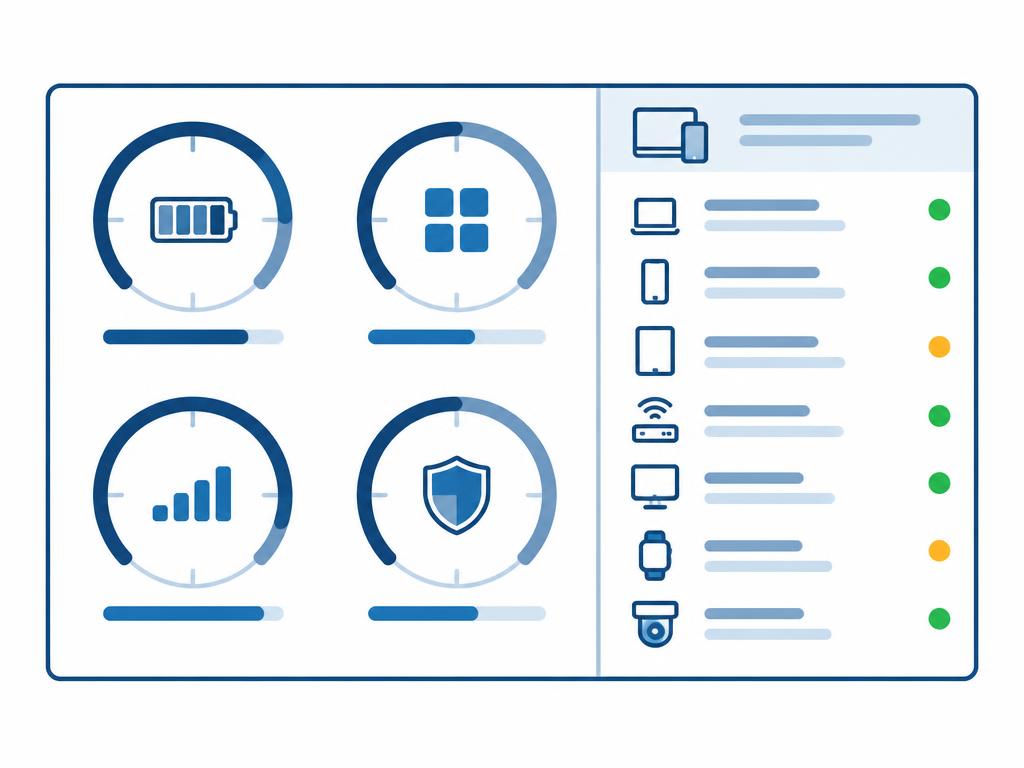
Knox Asset Intelligence dashboards show battery health and charging habits, app crashes and usage, Wi-Fi drops and network latency, storage and location – per device and across the fleet.

Data collection can be tied to work shifts, so only data from the required period is collected.

The Security center uses security patch level and device integrity checks (attestation) to show which devices have fallen behind or are compromised. IT sees a weakening battery, a frequently crashing app or a site with poor coverage before anyone reports it.

Examples

  • “A list of devices needing a battery replacement before they die mid-shift.”
  • “Which site has the most Wi-Fi drops?”
  • “Which devices are running below the required patch level?”

Good to know

  • Samsung Galaxy devices, Knox 3.8+ (3.7.1+ on rugged devices).
  • Available in the Enterprise Plan only.
Diagram: a dashboard with four gauges – battery, apps, network, patch level – next to a device list with green and amber status dots.

Request a licence quote for your fleet.

Request a licence quote

Knox Mobile Enrollment – Advanced settings

Enforced enrollment with KME Advanced settings

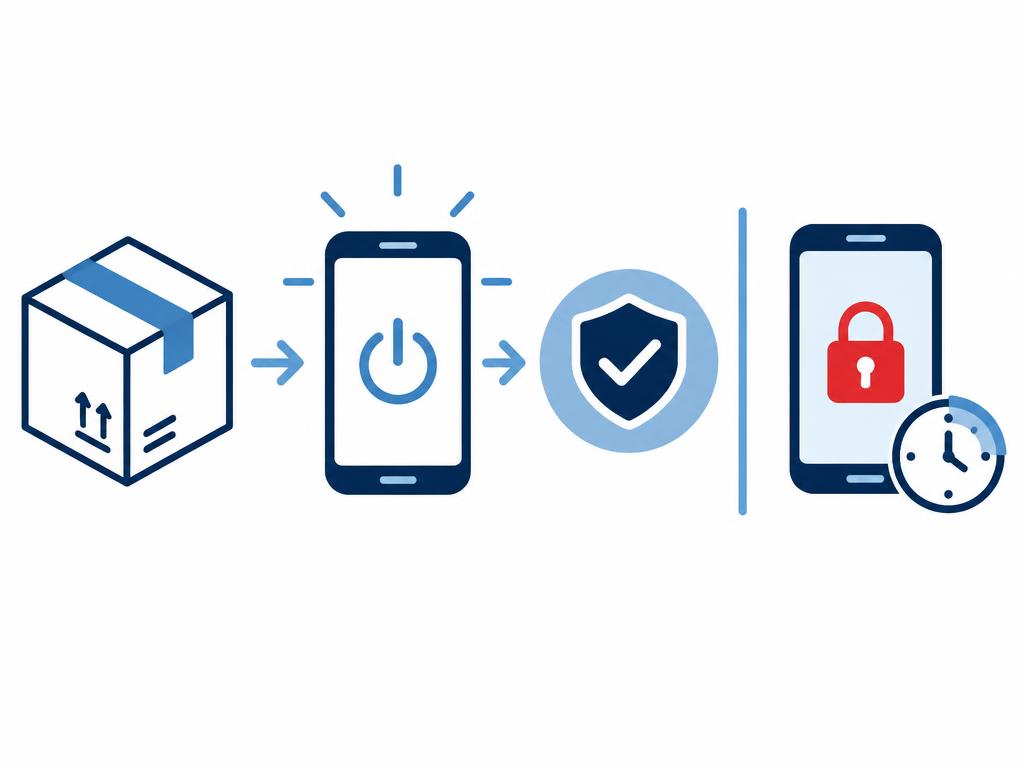
With Knox Mobile Enrollment, Galaxy devices uploaded by the reseller enroll into your company's EMM automatically at first power-on.

The Advanced settings available in the Enterprise Plan enforce this: if a device does not register with the EMM within the defined time, it locks automatically (checked daily).

Admins can lock and unlock devices in bulk, generate a one-time PIN for offline situations and install apps during enrollment. Management no longer depends on the user's goodwill.

Examples

  • “300 newly purchased devices appear in the console on their own after unboxing.”
  • “A device that avoids enrollment locks after 7 days.”
  • “A returned, factory-reset device is managed again at its next power-on.”

Good to know

  • Samsung Galaxy devices uploaded through an authorised reseller channel.
  • Advanced settings are Enterprise Plan only and apply to EMM profiles.
  • Devices already in use need a factory reset.
  • Cannot be combined with Knox Guard.
Diagram: box, powered-on phone and a "managed" checkmark, next to a locked phone with a red padlock and a timer.

Knox Manage + Knox Remote Support

Central management and remote support

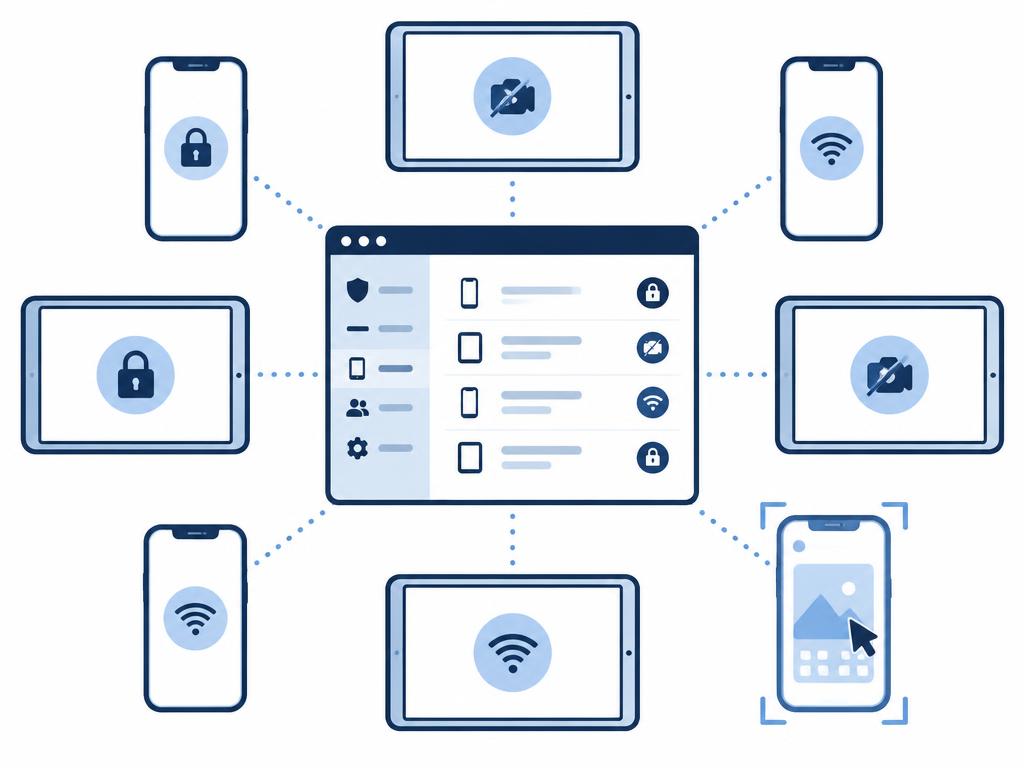
The Enterprise Plan includes Knox Manage cloud device management: deploying settings and apps, password and encryption policies, kiosk mode with the Kiosk Wizard, and locking, suspending or wiping a lost device – fully or only its work profile.

Event-based policies take effect automatically based on time, Wi-Fi network, SIM change, roaming or geographic area. Besides Android, Knox Manage also handles iOS/iPadOS, macOS, Windows, ChromeOS and Wear OS devices; the deepest control is available on Galaxy devices.

With Knox Remote Support, IT sees and controls the user's Android device live, takes screenshots and recordings and sends files. Roles define who may start a session and whether they can only view or also control the device.

Examples

  • “The camera is disabled automatically on the factory floor and re-enabled outside.”
  • “The helpdesk sees the driver's screen from the console – no need to bring the device in.”
  • “Lost phone: the work profile is wiped, personal data stays untouched.”

Good to know

  • SIM-change and geofence events work on Android only.
  • Knox Remote Support is documented for Android devices; non-Samsung devices require user approval.
  • The new Knox Manage console is built for Android; other platforms are managed in the original console.
Diagram: a console window in the centre, surrounded by phones and tablets with different policy states, one framed for live screen sharing.

Not sure how many licences you need?

Let's talk

Integration

Alongside your existing UEM

You don't need to replace your current device management system to introduce the Enterprise Plan.

Knox E-FOTA can be used alongside SOTI MobiControl and Microsoft Intune, Knox Mobile Enrollment enrolls devices into your own EMM, and Knox Platform for Enterprise Galaxy policies can be managed from your existing UEM via the Knox Service Plugin (OEMConfig).

This way the Galaxy-specific capabilities – version control, enforced enrollment, fleet analytics – fit in next to the processes already in place.

Examples

  • “Intune remains the central UEM, Galaxy update control comes from E-FOTA.”
  • “A SOTI fleet with Knox policies delivered through the Knox Service Plugin.”

Good to know

  • The scope of integration differs by EMM; we confirm the fit with your specific UEM when preparing the quote.
Diagram: two connected modules – the existing UEM and Knox Suite Enterprise – linked to a shared fleet of phones.

Knox Capture + Knox Authentication Manager

Frontline add-ons: Knox Capture and Knox Authentication Manager

Two Enterprise components are designed specifically for field, warehouse, retail and shared-device use.

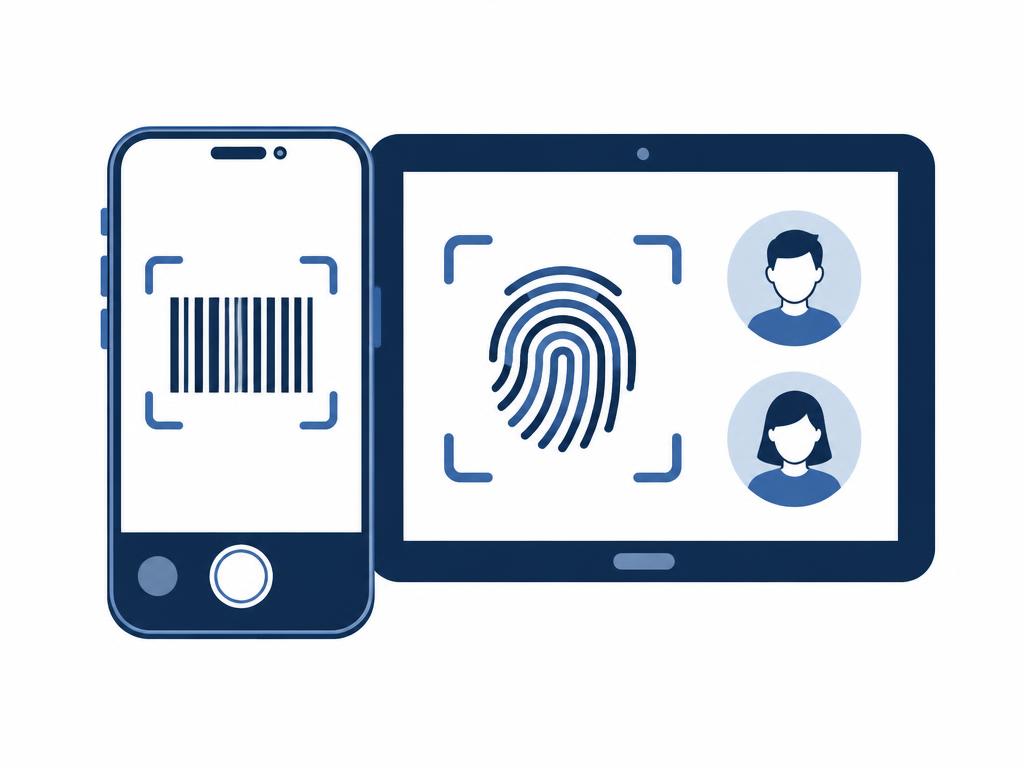
Knox Capture turns the Galaxy device camera into an enterprise barcode/QR scanner and passes the scanned data to the designated business app – no separate scanner hardware needed.

Knox Authentication Manager enables biometric (fingerprint/face) sign-in on devices shared by several users, to unlock the shared device and its apps.

Examples

  • “Warehouse stocktaking with the phone camera, data goes straight into the WMS.”
  • “At shift change, the next employee signs in to the same tablet with a fingerprint.”

Good to know

  • Samsung Galaxy devices.
  • Enterprise Plan only.
  • App integration details are agreed per project.
Diagram: a phone in camera view with a barcode frame, next to a tablet with a fingerprint icon and two user avatars.

We can also help you request a trial licence.

Ask about a trial

How to get the Enterprise licence

One key, nine services

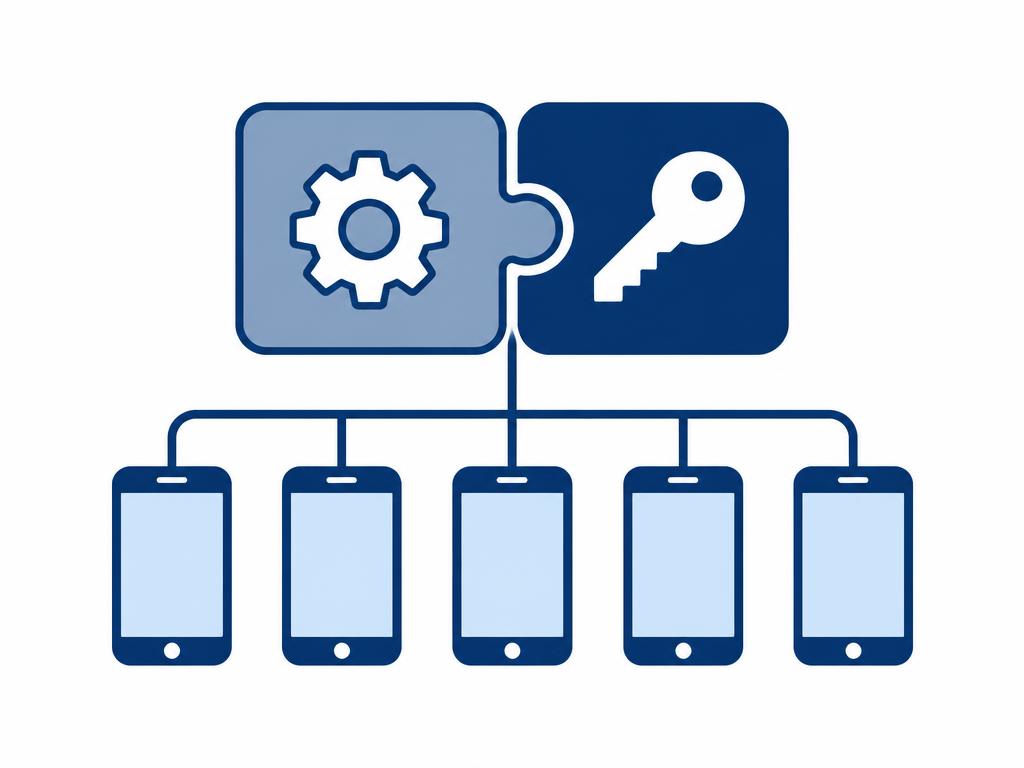
All Enterprise services are activated with a single Knox Suite – Enterprise Plan licence key in the Knox Admin Portal; no need to manage a separate licence per service.

Upgradeable from Essentials

The Knox Suite – Essentials Plan can be upgraded to the Enterprise Plan by SKU exchange; enrolled devices and settings are kept. Standalone service licences (e.g. a Knox Manage or Knox E-FOTA key) can also be replaced with a Knox Suite plan.

Try before you buy

The Knox Suite – Enterprise Plan trial licence can be used for 90 days on up to 30 devices and includes every Enterprise service. We help you request the trial and plan it.

Through a reseller, in Hungarian

Commercial licences are purchased from a Samsung Knox reseller. As an official Samsung Knox reseller, UBIK365 Kft. provides quotes and helps with sizing, key activation, configuration and operation.

The per-device licence fee is provided on request; we do not publish prices on this site.

Request a licence quote

Full contents of the Knox Suite – Enterprise Plan

The list below is based on the official Samsung Knox licensing documentation; we confirm the exact current composition when preparing your quote.

Knox Platform for Enterprise (KPE)

Galaxy-specific security and management policies, also from your existing UEM via the Knox Service Plugin.

✓ Also in EssentialsBase, Essentials, Enterprise

Knox Mobile Enrollment (standard)

Automatic enrollment of Galaxy devices into your EMM at first power-on, based on reseller upload.

✓ Also in EssentialsBase, Essentials, Enterprise

Knox Mobile Enrollment – Advanced settings

Enforced enrollment: time-limited lock, bulk lock/unlock, one-time PIN, app installation during enrollment.

Enterprise onlyEnterprise

Knox Manage

Cloud device management: settings, app deployment, event-based policies, kiosk mode, lock/wipe lost devices; Android, iOS/iPadOS, macOS, Windows, ChromeOS, Wear OS.

✓ Also in EssentialsEssentials, Enterprise

Knox Remote Support

Screen sharing, remote control, file transfer and recording on Android devices, with role-based permissions.

✓ Also in EssentialsEssentials, Enterprise

Knox E-FOTA

Firmware version lock, security patches with a version ceiling, windowed and gradual updates, test campaigns on Galaxy devices.

Enterprise onlyEnterprise

Knox Asset Intelligence

Fleet analytics: battery, apps, network, storage, location; Security center with patch level and integrity checks.

Enterprise onlyEnterprise

Knox Capture

The Galaxy camera as an enterprise barcode/QR scanner, data straight into the business app.

Enterprise onlyEnterprise

Knox Authentication Manager

Biometric sign-in on shared Galaxy devices.

Enterprise onlyEnterprise

Knox Configure (pre-configuring and branding devices at first power-on) is a separately licensed product and is not part of any Knox Suite plan. Knox E-FOTA is also available as a separate On-Premises edition for closed networks. Windows and ChromeOS devices in Knox Manage use the same Knox Suite licence.

Have a question about a component?Let's talk

Frequently asked questions

Essentials includes Knox Mobile Enrollment, Knox Manage, Knox Remote Support and KPE. Enterprise builds on these and adds Knox E-FOTA, Knox Asset Intelligence, KME Advanced settings, Knox Capture and Knox Authentication Manager. If you need firmware control, fleet analytics or enforced enrollment, you need Enterprise.

The Enterprise licence in practice

All posts

Request a licence quote for the Knox Suite Enterprise Plan

Get in touch: our specialists help you choose the right licence and licence count, and support configuration and operation.

For the quote it helps to tell us how many Galaxy devices are involved, whether you already have a Knox Suite or other UEM licence, and which services you need most.

UBIK365 Kft. – Samsung Knox reseller, Budapest.